Accessible Games & Support Ticketing Database
Led a five-person team building a PHP and MySQL application that combines a searchable games accessibly catalog with an end-to-end support-ticket workflow.
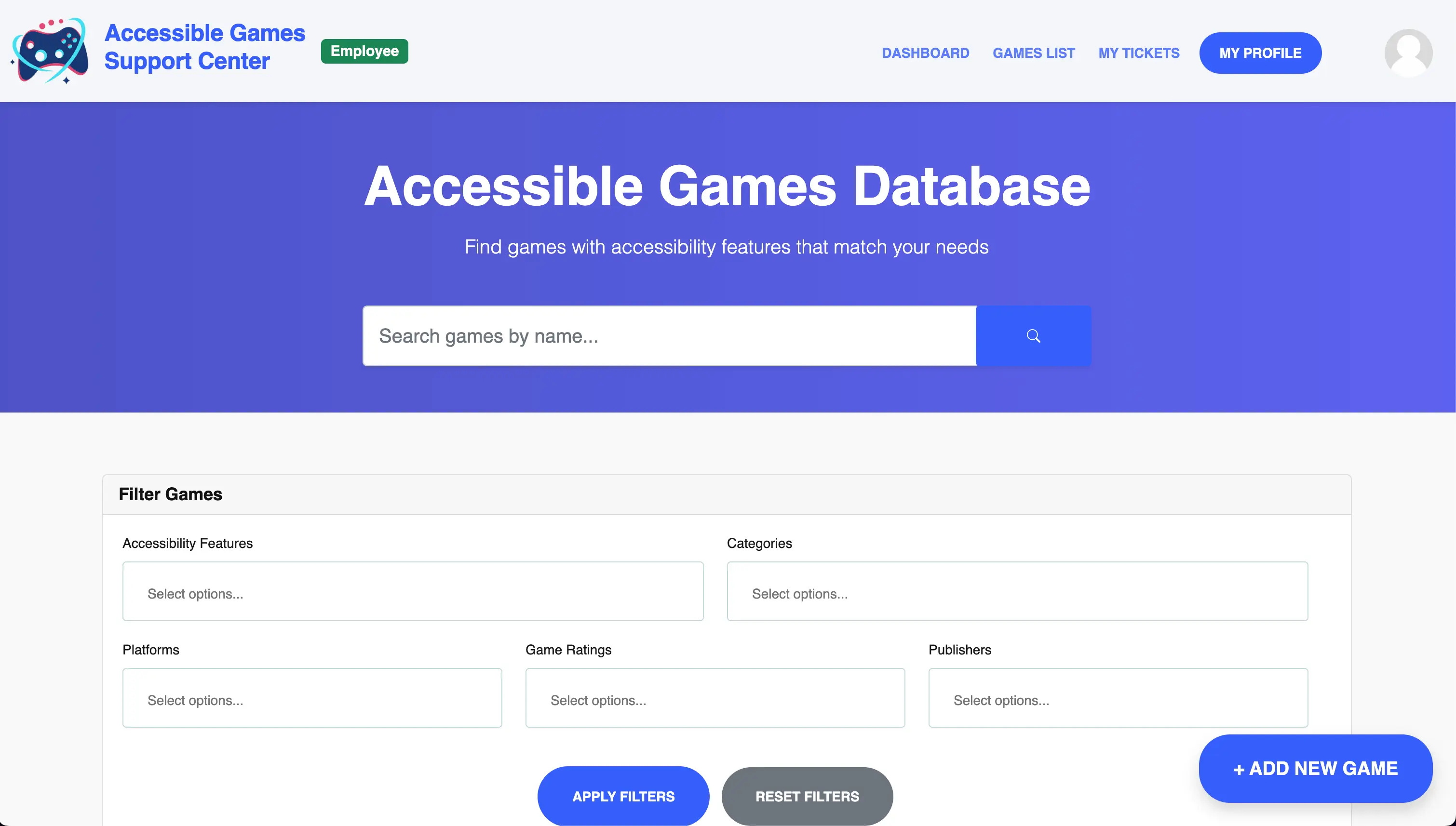
Project Overview
For my Database Management Systems course (CSC 436), I led a five-person team building a full-stack application centered on two connected systems: a searchable database of video games and their accessibility features, and a support platform where users can report problems or inaccurate accessibility information.
A user can browse games and determine whether a title supports features relevant to them, but if that information is incomplete or a feature does not behave as expected, the same application gives them a direct path to report the problem and communicate with support staff.
The result was an Accessible Games Support Center built with PHP, MySQL, PDO, JavaScript, jQuery, Bootstrap, HTML, and CSS. Users can search and filter games by accessibility information, maintain accounts, submit and follow support tickets, exchange replies and attachments with employees, and access role-specific administrative tools.
Although the project included a complete web application, its primary focus was relational database design. The application gave us a practical way to apply normalization, many-to-many relationships, foreign keys, dynamic queries, database-backed workflows, and server-side authorization in a system with multiple user roles.
Database Design
The database was designed around third normal form (3NF) and divided into two major domains.
The game catalog includes games, publishers, platforms, categories, accessibility features, and accessibility-feature categories. Reusable values are stored in their own tables rather than repeated directly on each game.
Because a game can support multiple platforms, categories, publishers, and accessibility features, those relationships are modeled through junction tables such as Game_Platforms, Game_Categories, Game_Publishers, and Game_Accessibility_Features. Composite keys prevent duplicate relationships and foreign keys maintain referential integrity.
The support platform contains customers, employees, employee positions, tickets, ticket types, feedback, and attachments. It supports the full lifecycle of a support case: submission, employee assignment, priority and status changes, customer/employee replies, file attachments, resolution, and later review through ticket history.
This schema gave us a realistic database with enough structure to demonstrate normalization, one-to-many and many-to-many relationships, filtering across joined tables, and role-based application behavior.
Game Discovery and Detail Views
The public-facing side of the application is a searchable accessibility catalog. Users can browse all games or narrow the results using combinations of:
- accessibility features;
- categories;
- platforms;
- publishers;
- ratings;
- game name.
The filtering system builds queries around the filters currently selected, joining the relevant relationship tables and using PDO prepared statements for user-controlled values.
Selecting a game opens a detail page that assembles its core information and associated accessibility features, feature categories, platforms, publishers, categories, rating, and release information into one view.
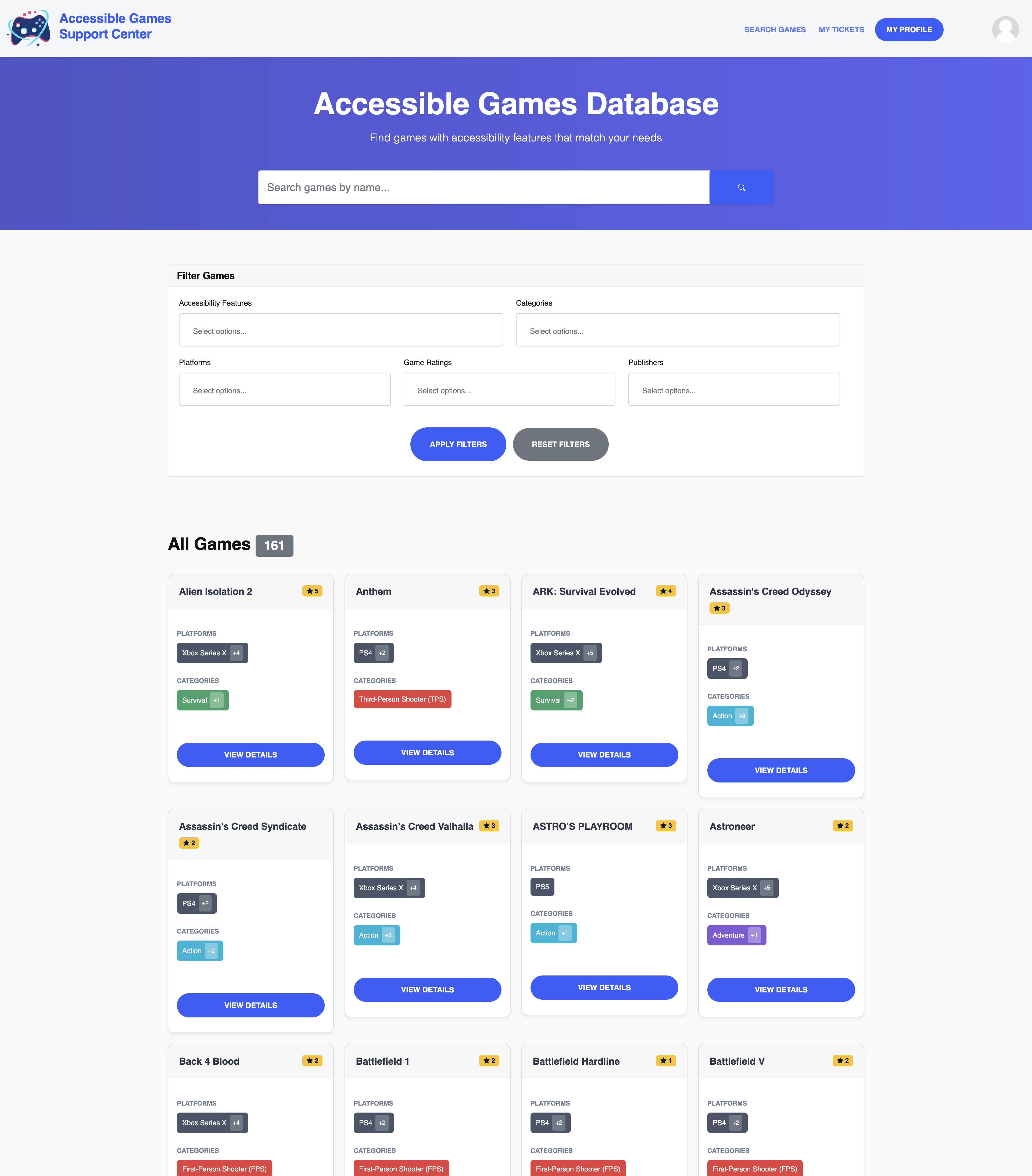
Users can combine accessibility, category, platform, publisher, and rating filters backed by dynamically constructed relational queries.
Showing image 1 of 2: Accessible Games Support Center landing page
Support Ticket System
My primary technical responsibility was designing and implementing the application’s end-to-end support-ticket system.
Customers can submit a ticket by selecting an issue type, providing a title and description, and optionally attaching screenshots or other images. The newly created case is linked to the authenticated customer and becomes visible both in that customer’s ticket history and in the appropriate employee support queues.
Each ticket stores the information needed to manage the case, including its customer, assigned employee, ticket type, current status, priority, timestamps, and public identifier. The public-facing ticket identifier is separate from the internal database ID so sequential internal keys do not need to be exposed in support URLs.
Ticket Lifecycle and Queue Management
The interface distinguishes between:
- tickets assigned to the logged-in employee;
- unassigned tickets;
- active tickets assigned to other employees;
- resolved tickets.
Employees can open a ticket, assign it to themselves or another employee, change its priority, update its status, reply to the customer, and resolve the case.
Customers see a different experience. They can view only their own tickets, follow status and assignment changes, read the full conversation, provide additional information, and continue replying while the case remains active.
Conversation History and Attachments
The ticket itself intentionally does not store the entire conversation. Follow-up messages are kept in Ticket_Feedback, allowing any number of customer and employee replies while preserving authorship, timestamps, and the relationship back to the original case.
Attachments are stored separately in Ticket_Attachments. An attachment can belong to the original ticket submission or to a later feedback message, which lets screenshots become part of the chronological support conversation without mixing file metadata into the ticket record itself.
The application accepts multiple image attachments with validation around supported file types, file counts, and file sizes. The files remain on the server while MySQL stores the structured information needed to associate them with the correct ticket and message.
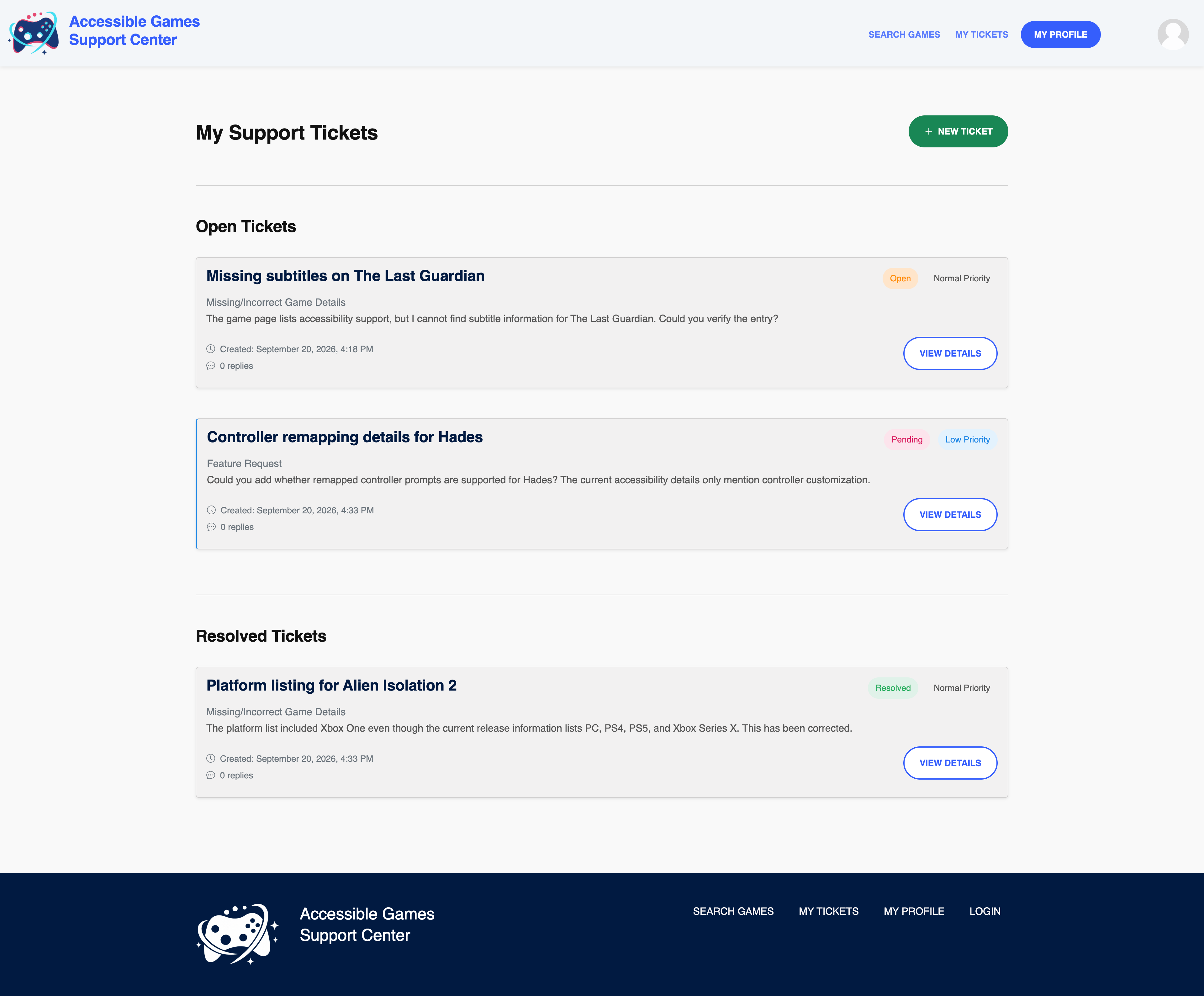
Customers can view their support history and open new tickets.
Showing image 1 of 3: Customer ticket history
Accounts, Roles, and Authorization
Customers and employees use separate account models. Customers can browse the game catalog, maintain their profiles, create support tickets, view their own ticket history, and participate in their support conversations. Employees can work across the support queue and access administrative tools for maintaining the game catalog and related reference data. Employee records also connect to a normalized Positions table.
Authentication state is maintained through PHP sessions. Protected routes verify the current session and account type on the server rather than relying on the interface to hide restricted controls. Customer access to ticket pages is additionally checked against ticket ownership, so knowing another case’s identifier is not sufficient to view it.
Passwords are stored using secure hashing, database access uses PDO prepared statements, and user-provided content is validated and sanitized before storage or rendering. The application also validates requested records and uploaded images instead of assuming browser-provided IDs and files are safe.
Profile management is available to both account types. Users can update account information, change their passwords, and use profile images stored on the server rather than directly in the database.
Administrative Game and Metadata Management
Employees also have access to a content-management interface for maintaining the game database.
Authorized users can:
- add new games;
- edit existing games;
- create publishers;
- create platforms;
- create categories;
- create accessibility features;
- update the relationships between those entities;
- inspect users;
- manage support tickets.
Editing one game is not necessarily a single-row update: direct game attributes are stored in Games, while selected publishers, platforms, categories, and accessibility features live in separate many-to-many junction tables.
The application therefore synchronizes those relationships as part of one edit operation, removing mappings that are no longer selected and adding newly selected ones. Supporting metadata can also be created independently so administrators are not limited to values that existed when the original dataset was imported.
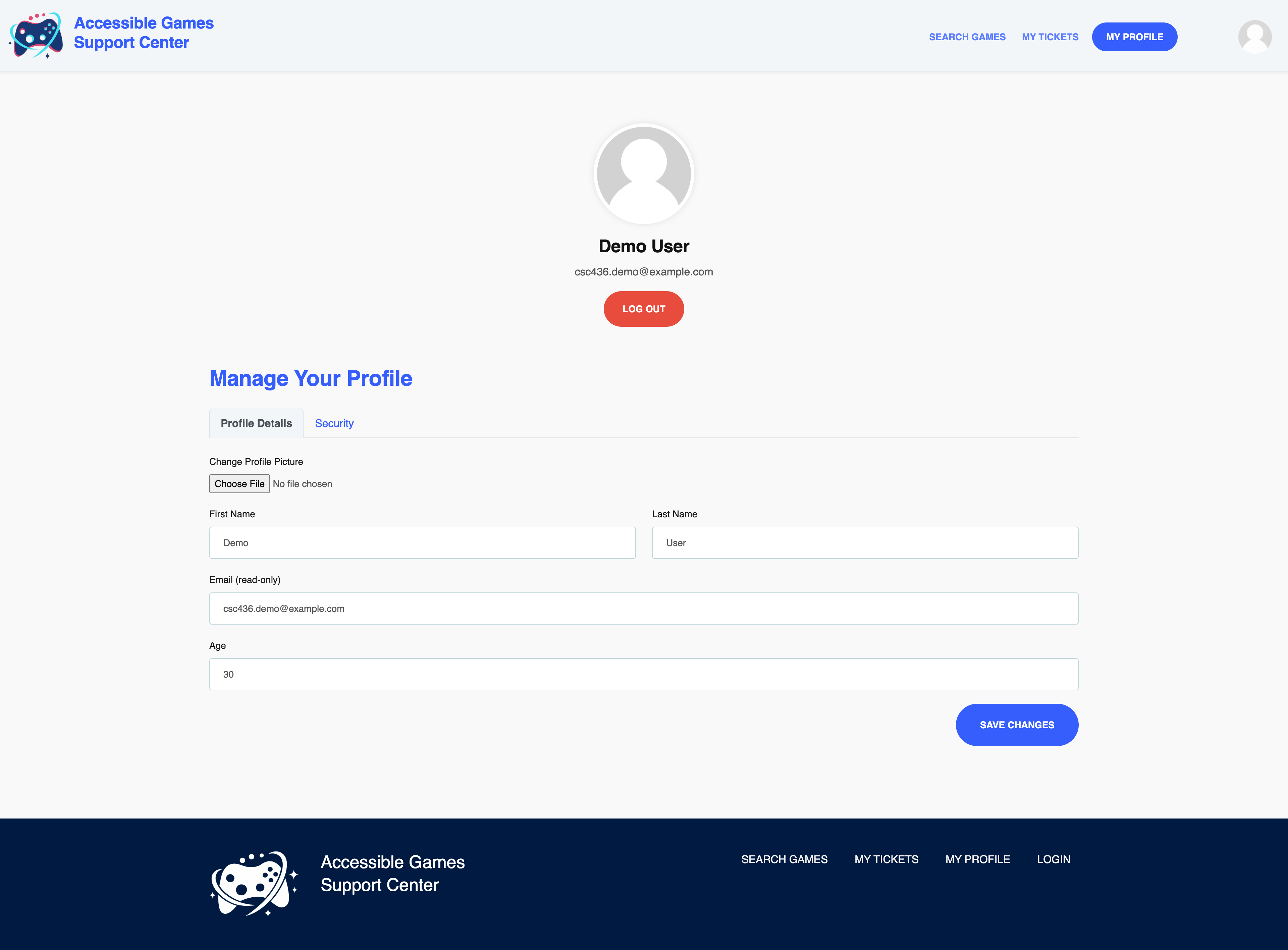
Users can maintain their account information and password from their profile.
Showing image 1 of 2: Customer profile page
Dataset and Application Scale
The catalog was populated with data based on Accessible Games Database, giving the project a realistic set of games and accessibility metadata rather than a few artificial test records. Note that we do not intend to publish or redistribute that data, and this application is not publicly accessible.
A larger dataset was particularly useful for validating the search system because the value of the relational design becomes clearer once many games share overlapping publishers, platforms, categories, and accessibility features.
Front-End and Accessibility
The interface was intentionally kept straightforward and predictable. Since the subject of the application is accessibility, the goal was to avoid unnecessary interaction complexity while still supporting a relatively large amount of search, account, ticketing, and administrative functionality.
Bootstrap provided the responsive layout and reusable interface components, while JavaScript and jQuery handled dynamic interactions and AJAX requests where asynchronous behavior improved the experience.
The main application keeps game search, tickets, profiles, and authorized employee tools easy to reach through consistent navigation and page structures. Accessibility features are grouped into broader categories to make the catalog easier to scan, and forms use explicit labels and predictable control patterns.
A production version would require more formal testing against WCAG criteria, screen readers, keyboard-only navigation, focus behavior, contrast requirements, and automated accessibility tooling, but accessibility considerations influenced both the information architecture and visual design throughout the project.
Application Architecture
The application uses a traditional server-rendered PHP architecture:
PHP serves as the application layer between the interface and database, handling forms, sessions, authorization, database operations, file uploads, and the data needed to render each page. MySQL stores the application’s structured data, while uploaded images are stored on the server and referenced through the database.
The application and database were deployed through cPanel, and the codebase was organized into shared modules, configuration, frontend assets, and a dedicated employee/admin area rather than one flat collection of PHP files.
Technical Challenges
Building a Real Ticket Workflow
The support system had to represent more than a message submitted by a customer. It needed current case state, employee ownership, prioritization, repeated customer/employee communication, attachments, resolution, and different queue views depending on the employee looking at the system.
Separating tickets, feedback, and attachments kept those concerns manageable while allowing the workflow to grow naturally.
Synchronizing Many-to-Many Edits
Administrative game editing required coordinating updates across the main game record and several junction tables. A single form could therefore represent multiple database operations that needed to remain consistent with one another.
Building Different Experiences on the Same Data
Customers and employees interact with many of the same records but should not have the same access. This required server-side checks for authentication, account type, ticket ownership, and record validity throughout the application rather than depending on frontend visibility alone.
Team Integration
The application was developed by five contributors working across the same database and PHP codebase. As team lead, I spent significant time reviewing pull requests, resolving integration problems, maintaining shared conventions, testing cross-feature behavior, and coordinating work through GitHub Projects and Discord.
My Contributions
My primary responsibility was the support-ticket subsystem.
I also served as team lead, helped finalize the relational schema, led much of the application’s UI/UX direction, adapted account functionality for employees, reviewed and integrated team contributions, organized the GitHub workflow, tested the completed system, and coordinated deployment.
Limitations and Potential Improvements
The project was completed within a semester, so several areas were intentionally simpler than they would be in a production platform.
The current catalog primarily records whether an accessibility feature exists. A more complete system could describe quality, customization options, platform-specific differences, whether a feature applies to gameplay or cinematics, community verification, and changes between game versions.
The ticket system stores a case’s current status, priority, and assignment but does not maintain a complete audit event for every transition. A production version could preserve that history, calculate response and resolution times, and support notifications when customers or employees add new information.
Additional improvements could include:
- community-submitted accessibility verification with moderation;
- ticket status and assignment audit history;
- email or in-application notifications;
- password recovery and email verification;
- two-factor authentication and more granular employee roles;
- full-text search, pagination, caching, and additional indexing for a much larger catalog;
- more extensive WCAG-focused testing and accessibility QA;
- optional real-time support alongside the persistent ticket workflow.
The existing application provides a foundation for those extensions while accomplishing the original goal: designing and applying a normalized relational database inside a complete, multi-user web application with meaningful customer and administrative workflows.
Project Summary
Key Achievements
- •Led a five-person team building a PHP/MySQL accessibility database and role-based support platform from schema design through deployment.
- •Built the complete support-ticket lifecycle, including submission, assignment, status and priority management, replies, attachments, authorization, and resolution.
- •Integrated authentication, PDO prepared statements, PHP sessions, role-based authorization, and protected ticket access.
- •Coordinated GitHub workflow, pull-request review, integration testing, UI consistency, and cPanel deployment.
Key Challenges
- •Keeping customer and employee ticket workflows distinct while allowing both roles to participate in the same support conversations.
- •Synchronizing administrative game edits across several many-to-many relationships.
- •Integrating five contributors' database, backend, frontend, and administrative work into one consistent application.
Key Learnings
- •Database design directly influences application architecture, querying, filtering, and maintainability.
- •Many-to-many data and conversation-oriented workflows are easier to maintain when modeled as related records.
- •Clear ownership, code review, and frequent integration are essential in a shared database-backed project.